All-in-One Restaurant Ordering & Management Platform
Take orders online or offline, manage them on a simple board, show order status on a TV for customers, and track your sales — all in one app that works even without internet.
Step 1
Customer Finds You
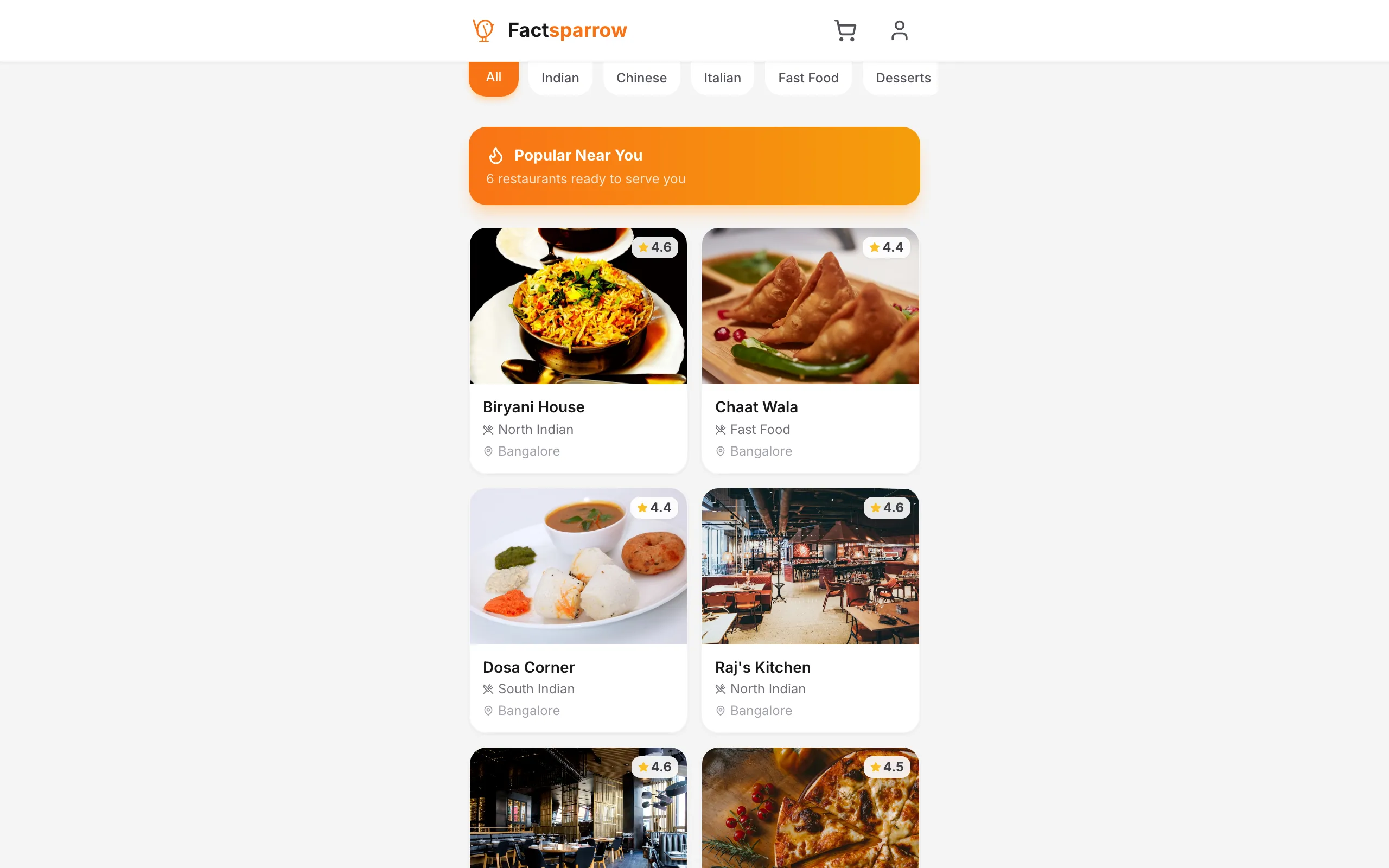
Your restaurant appears on the app
Step 2
Places an Order
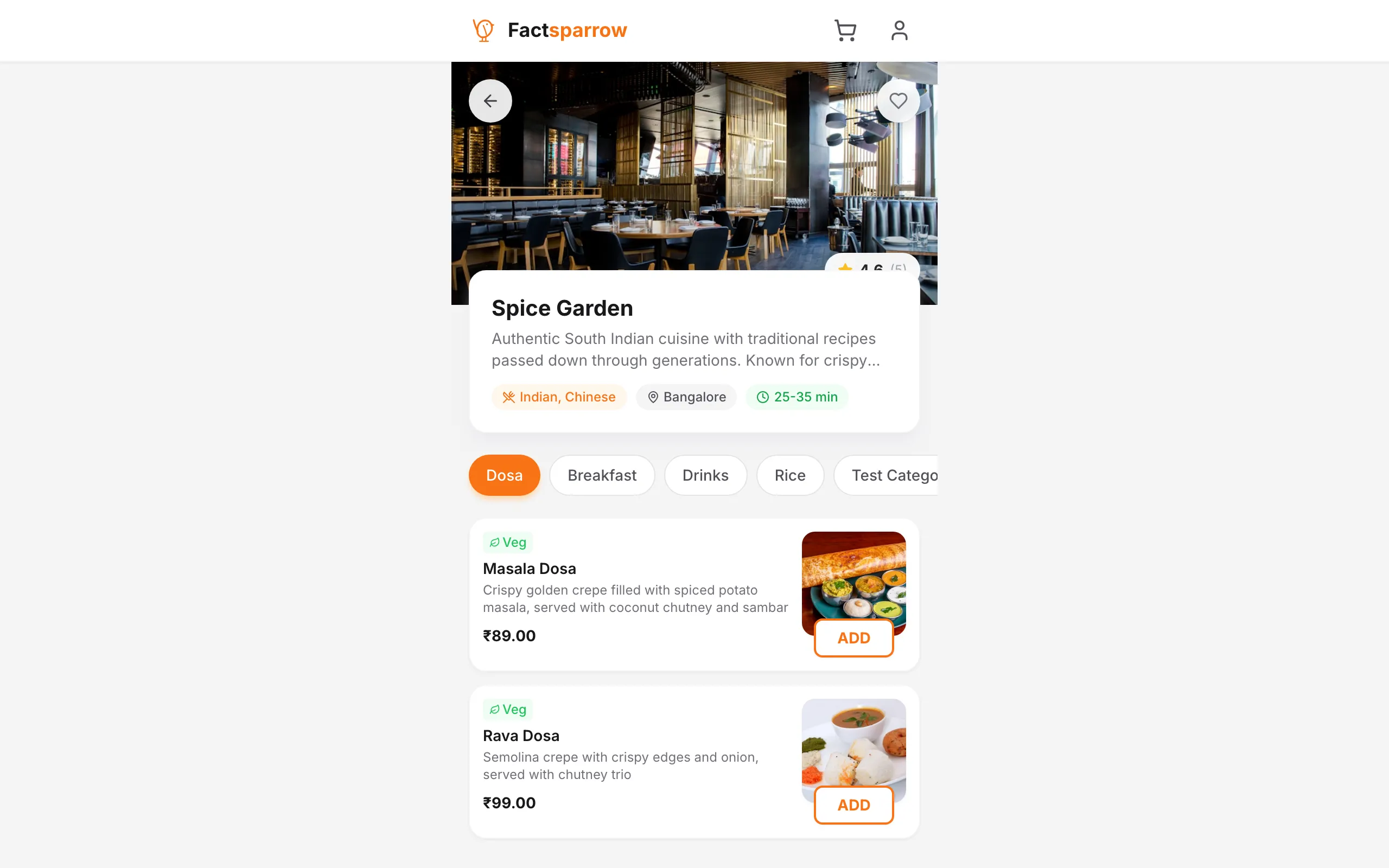
Picks items, chooses options & orders
Step 3
You Manage It
#22
#23
#20
#18
#19
See orders on your board, tap to update
Step 4
Customer Stays Updated
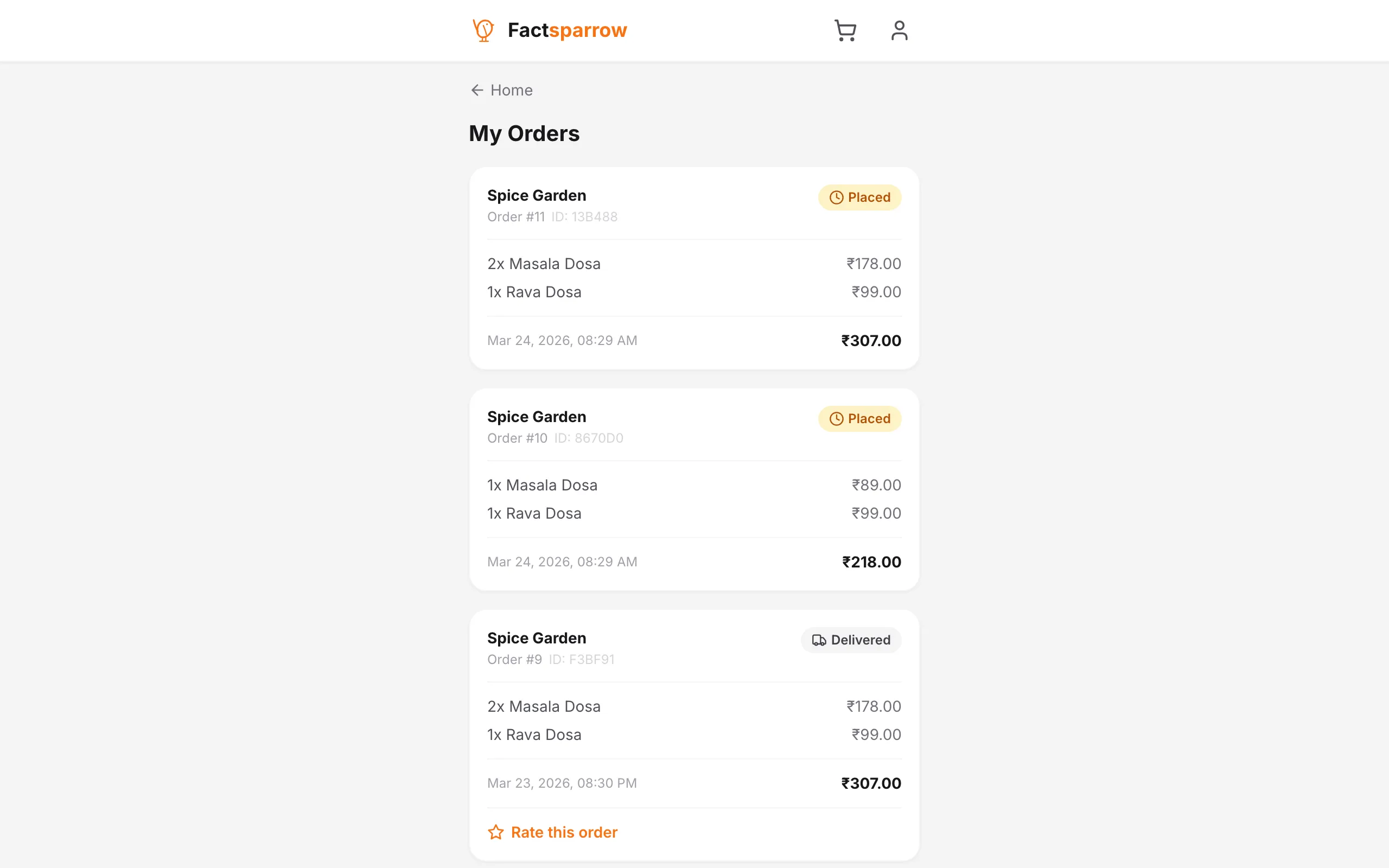
They see when their order is ready
Features
Everything you need to run your restaurant
Powerful tools designed to simplify restaurant operations from ordering to analytics.
Kanban Order Board
Manage orders like a pro with a drag-and-drop Kanban board. Drag orders across columns or skip steps — PLACED straight to READY in one move.
TV Order Status Display
Put a TV in your restaurant for customers to see their order status. Orders show in Preparing, In Progress, and Ready columns with big numbers and sound alerts.
Menu & Modifiers
Build rich menus with categories, images, and customizable modifier groups — sizes, toppings, extras — all configurable per item.
Works Offline Too
Take walk-in orders, manage your menu, and run your restaurant even without internet. Everything syncs automatically when you are back online.
Analytics & Reports
Revenue trends, top-selling items, order volume, and completion rates — downloadable reports to help you grow.
Multi-Platform
Desktop apps for Windows and macOS, plus a responsive web app. Mobile-friendly dashboard with tab navigation.
Real-Time Sync
WebSocket-powered live updates. New orders trigger sound alerts, status changes sync instantly across all devices.
Admin Dashboard
Centralized admin panel for onboarding restaurants, managing users, tracking website traffic, and platform analytics.
All your orders, one screen
See every order organized by status. Move them forward with one tap, or drag them to any column. Your team always knows what to work on next.
#22
Arjun P.
#23
Meera K.
#20
Rohan S.
#18
Priya M.
#19
Amit R.
#16
Sneha J.
See Everything
All orders sorted by status
Drag to Move
Drag orders between columns
Skip Steps
Jump straight to any status
Works on Phone
Tab view on small screens
Customers see their order status live
Put a TV in your restaurant so customers can track their orders. Big order numbers they can read from anywhere, with columns showing what is being prepared, in progress, and ready to pick up.
Spice Garden
Customer Order Tracking
12:38:45
#18
12:34Rahul S.
#19
12:36Priya M.
#16
12:28Amit K.
#14
12:20Sneha R.
#15
12:22Vikram J.
Powered by Factsparrow
Auto-refreshing every 5 seconds
Easy to Read
Big numbers customers can see
Sound Alert
Beeps when orders are ready
Always Fresh
Updates on its own
Any TV Works
Use any screen you have
Know how your business is really doing
See your sales, best-selling dishes, and busiest days — all in simple charts. Download reports anytime to plan ahead.
Analytics Dashboard
Spice Garden
₹1,24,500
Total Revenue
342
Orders This Month
₹364
Avg Order Value
14 min
Avg Prep Time
Weekly Revenue
Last 7 days
Top Selling Items
By number of orders
Butter Chicken
89 orders
₹24,920
Masala Dosa
76 orders
₹6,764
Paneer Tikka
64 orders
₹14,080
Biryani
58 orders
₹18,560
Garlic Naan
142 orders
₹5,680
Track Growth
See how sales change over time
Best Sellers
Know which dishes sell most
Download Reports
Get PDF reports anytime
Daily & Monthly
View by day, week, or month
Savings Calculator
See how much you'd keep with Factsparrow
Aggregators take 18–30% of every order. We take a flat monthly fee. Move the sliders to see your real numbers.
Your numbers
Zomato/Swiggy typically charge 18–30%
Your savings
Pro pays for itself after just 12 orders a month.
Get this savings — sign up freeEstimates assume 30 days/month and a flat aggregator commission. Actual aggregator costs include payment gateway fees, promotional discounts, and delivery charges, so real savings are often higher.
Pricing
Simple, transparent pricing
Choose the plan that fits your restaurant. Upgrade or downgrade anytime.
Pro is free for early restaurants
We're in beta, so we're offering every early restaurant a complimentary Pro subscription for up to 3 months — no payment required. Sign up, then email us and we'll activate it on your account.
Secure payment powered by Razorpay. Cancel anytime.
Questions? Reach out at support@factsparrow.com
How It Works
Simple for you, easy for customers
Customer places an order, you manage it on your board, and the TV shows them when it's ready.
Customer Orders
Your customers browse your menu, pick items with modifiers, and place orders — all from their phone or laptop.
- Browse your menu
- Choose size, toppings & extras
- Place orders online
- Track order status live
You Manage Everything
Orders land on your Kanban board. Drag to update status, manage your menu, take walk-in orders, and see your sales — online or offline.
- Drag-and-drop order board
- Walk-in + online orders
- Menu with modifiers & pricing
- Analytics & sales reports
Customers See Their Status
Connect any TV to show live order status. Customers see when their order is being prepared and when it is ready — no more asking at the counter.
- Big order numbers on screen
- Preparing → Ready columns
- Sound alert when ready
- Works with any TV or monitor
Why Factsparrow
Made for real restaurants
We built Factsparrow to solve the problems restaurant owners actually face. No complicated setup, no confusing features — just simple tools that help you run your business better.
Simple Order Board
See all your orders on one screen. Drag them between columns or tap a button to move them forward. Your team always knows what to do next.
Customer TV Display
Put a TV in your restaurant for customers to track their orders. Big order numbers and a sound alert when their food is ready.
Works Without Internet
Take walk-in orders, update your menu, and run your restaurant even when your wifi goes down. Everything syncs back when you are online.
Ready in 5 Minutes
Sign up, add your dishes, and start taking orders. No special equipment needed. No training required.
Pay Once, Use Forever
No monthly fees. Pay one time for Pro and it is yours forever. You can start free to try it out first.
Instant Updates
When a customer places an order, you see it right away. When you update the status, the customer knows instantly.
Download
Available on every platform
Download the desktop app for your restaurant, or use the web app from any browser.
macOS (Intel)
macOS 10.15 Catalina or later
macOS (Apple Silicon)
macOS 11 Big Sur or later
Don't want to download?
Use the restaurant panel directly in your browser. Same features, no installation needed.
Open Restaurant PanelFAQ
Common questions
About
Made for real restaurants
Built in India
Factsparrow is built by an independent developer in India, for Indian restaurants. Every feature — from rupee pricing to offline support — is designed for how restaurants here actually work.
Why We Built This
Most restaurant software is either too expensive, too complicated, or needs special hardware. Factsparrow is simple, works on any laptop, and you can start for free — no POS machines, no monthly fees.
Fair Pricing, Forever
No subscriptions. No commission on orders. Pay once for Pro and it is yours. We make money when you upgrade, not by taking a cut from every order like aggregator platforms.
🇮🇳
Made in India
Designed for Indian restaurants
🔒
Data in India
Hosted on AWS Mumbai
💳
Razorpay Secure
Safe & trusted payments
📶
Works Offline
No internet? No problem
Contact
We'd love to hear from you
Have a question or want to onboard your restaurant? Drop us a message.
Ready to transform your restaurant?
Set up in 5 minutes. Take orders, manage your menu, and track your sales — all from one app.
Start free. Upgrade to Pro with a one-time payment when you're ready.